

Getting Started
Setup Linkerd
Now that we have a Kubernetes cluster and Meshery, we are ready to download and deploy Linkerd resources.
Steps
Install Linkerd
Using Meshery, select Linkerd from the Management menu.
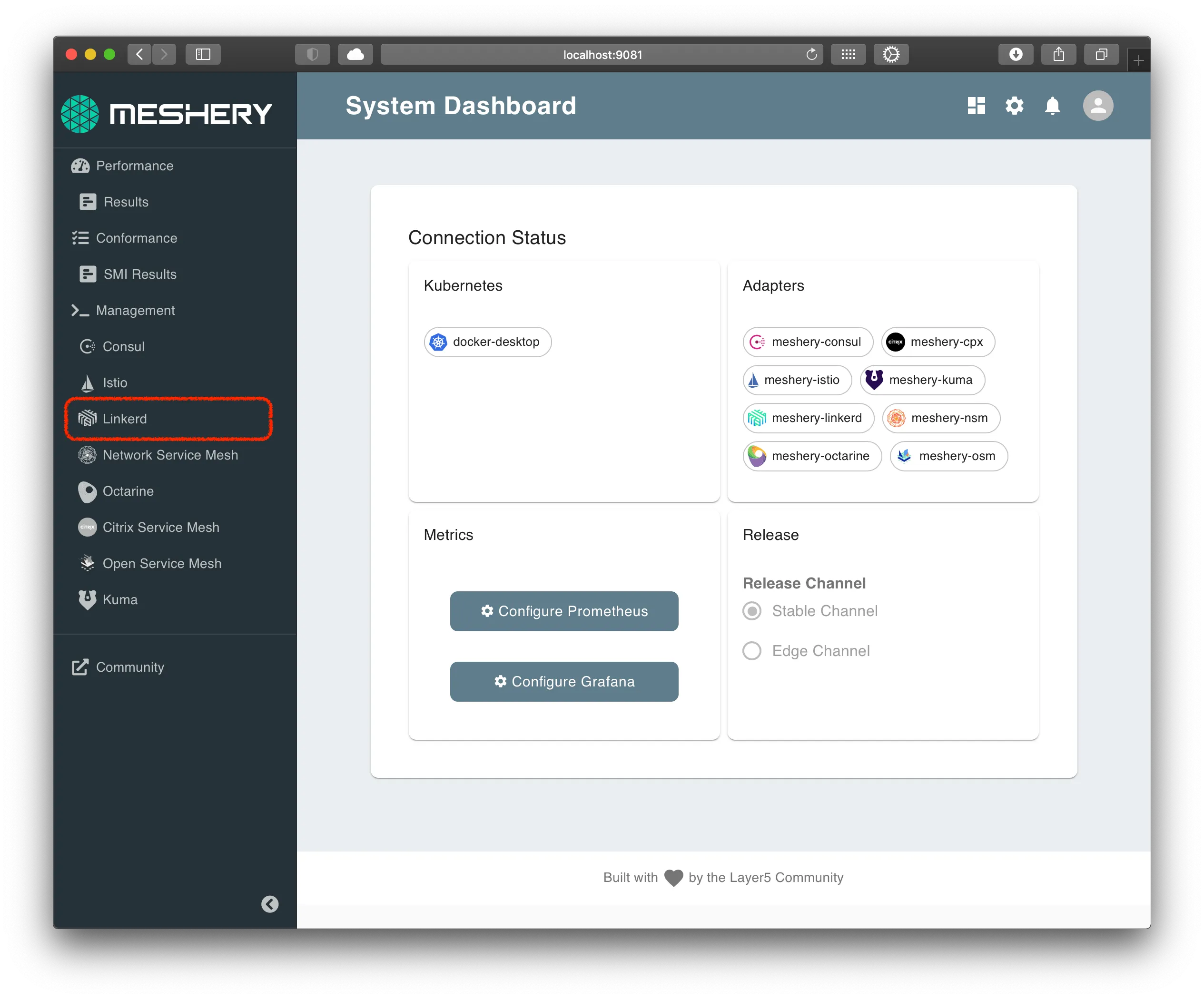
In the Linkerd management page:
-
Type
linkerdinto the namespace field. -
Click the (+) icon on the
Installcard and selectLatest Linkerdto install the latest version of Linkerd.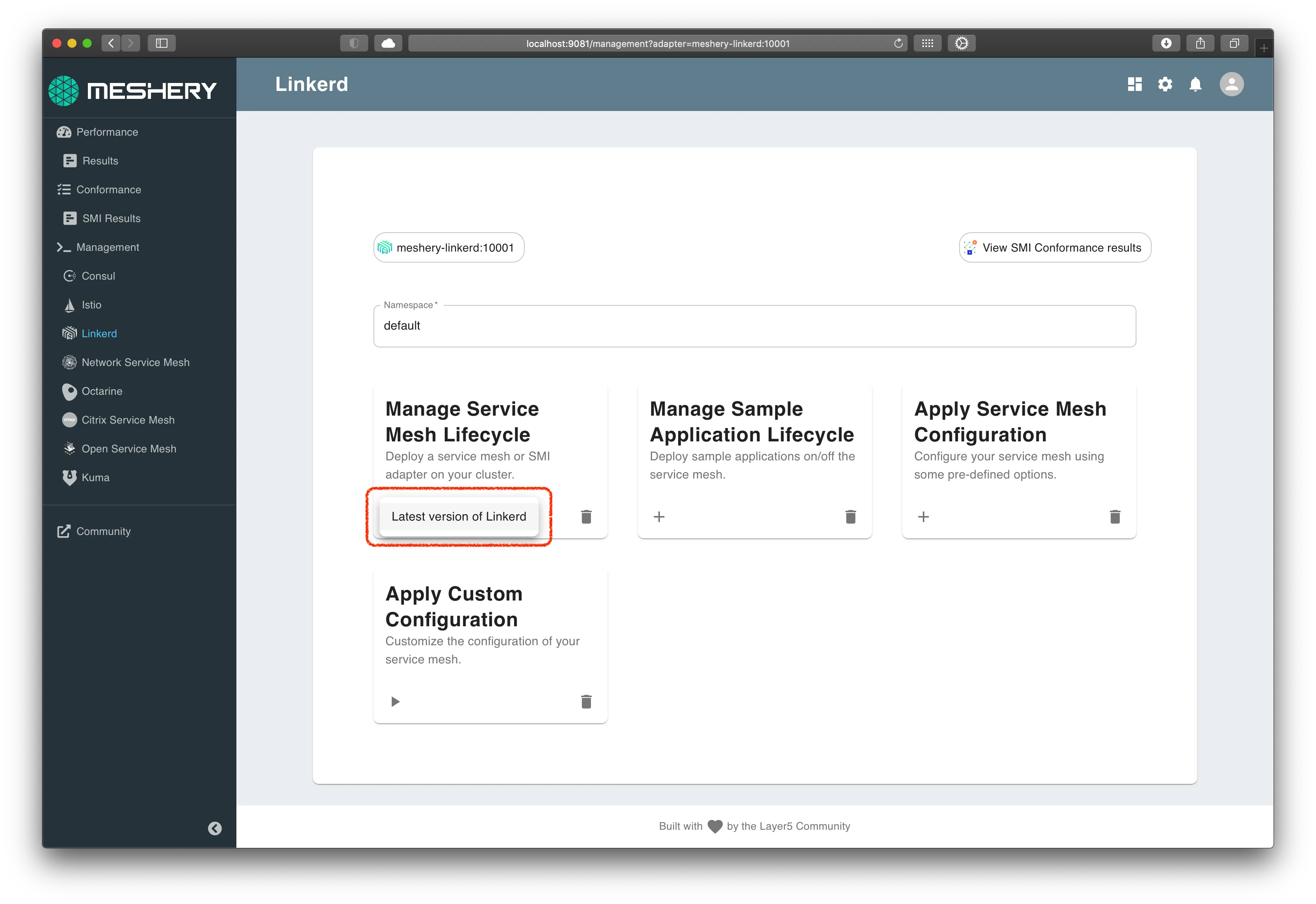
Alternative: Manual Installation
Perform the below steps if the above steps doesn't work for you.
Download linkerd CLI
On a *nix system, you can setup linkerd by doing the following:
The above command will get the latest Linkerd package and untar it in the same folder.
Change into the Linkerd package directory and add the linkerd client to your PATH environment variable.
Alternatively, on MacOS you can sue HomeBrew to install linkerd
To verify linkerd is setup lets try to print out the command help
We can use a new feature in linkerd to check if the cluster is ready for install:
Install Linkerd:
Deploy Linkerd custom resources:
Verify install
Linkerd is deployed in the linkerd Kubernetes namespace. Verify that Linkerd and its components are deployed, execute the command:
Enforce mTLS strict mode
By establishing mutually-authenticated connections between Linkerd proxies , Linkerd automatically enables mutual Transport Layer Security (mTLS) by default for most HTTP-based communication between services.
Confirming Add-ons
Linkerd, as part of this workshop, is installed with several optional addons like:
You will use Meshery for collecting and viewing metrics, and Jaeger for viewing distributed traces.


